
User Profile Collection Failed
Troubleshooting when user profile information cannot be collected during pre-migration (~35%).
Description
During pre-migration, the application collects local Windows user profile information required for migration.
This error occurs when eligible user profiles cannot be identified, read, or stored.
This step reads profile data from the Windows ProfileList and prepares it for migration. No destructive changes are performed at this stage.
Quick Reference
| Item | Details |
|---|---|
| Stage | Pre-Migration user profile inventory |
| Progress | Around 35% |
| Device impact | No destructive migration changes have been made |
| Safe to retry | Yes |
| Responsibility | Customer IT administrator |
What You Will See
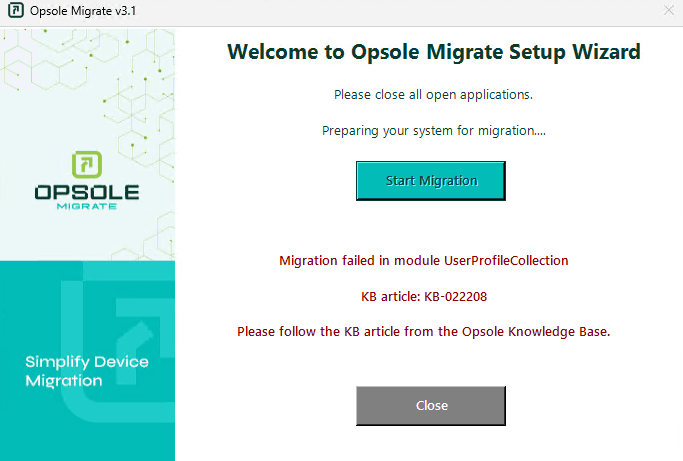
Application Message
Migration failed in module UserProfileCollection
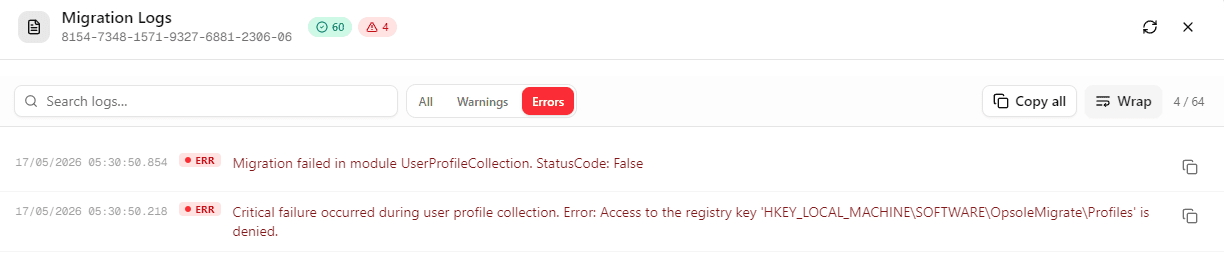
Portal Log
Migration failed in module UserProfileCollection
Root Cause
The application is unable to read or store eligible user profile information.
Common causes:
- No eligible domain or Entra user profile exists
- Profile registry entries are corrupted or unreadable
- User profiles are in a temporary profile state
- Registry read or write operations are blocked
- Endpoint security or policy restrictions blocking profile inventory
Diagnosis
Run the following checks in PowerShell (Administrator):
Step 1 – List eligible profile SIDs
Get-ChildItem "HKLM:\SOFTWARE\Microsoft\Windows NT\CurrentVersion\ProfileList" | Where-Object { $_.PSChildName -match "^S-1-5-21-|^S-1-12-1-" } | Select-Object PSChildName
Step 2 – Confirm profile store exists
Test-Path "HKLM:\SOFTWARE\OpsoleMigrate\Profiles"
| Result | Meaning |
|---|---|
| Step 1 returns no profile SIDs | No eligible user profile exists |
| Step 1 returns SIDs and Step 2 is False | Configuration store missing or write blocked |
| Profile paths point to TEMP profiles | Temporary profile state |
Resolution
No Eligible User Profile
Ensure the device has been used by the domain or Entra user intended for migration.
Registry Write Blocked
Resolve registry access issues as described in KB-022207.
Temporary Profile State
Restart the device and confirm the user signs in with a normal profile, then retry migration.
Profile Registry Corruption
Run:
sfc /scannow
Dism /Online /Cleanup-Image /RestoreHealth
Restart the device before retrying.
Recovery Steps
- Close the Opsole Migrate application
- Re-open the application
- Start migration again
When to Contact Support
Contact support@opsole.com if:
- Eligible profiles exist but the issue persists
- Registry access is working but collection still fails
- Multiple devices show the same issue unexpectedly
Related Logs
- Event Viewer → Application and Services Logs → OpsoleMigrate
How is this guide?