
System Reboot Pending
Troubleshooting when Windows has a pending restart during pre-migration device readiness validation (~10%).
Description
During pre-migration validation, the application checks whether the device is in a stable state to proceed with migration.
This error occurs when Windows has a pending restart due to updates, servicing operations, driver installations, or system changes.
Migration does not proceed in this state to ensure device stability. No device changes are performed.
Quick Reference
| Item | Details |
|---|---|
| Stage | Pre-Migration device readiness check |
| Progress | Around 10% |
| Device impact | No device migration changes have been made |
| Safe to retry | Yes |
| Responsibility | End user or customer IT |
What You Will See
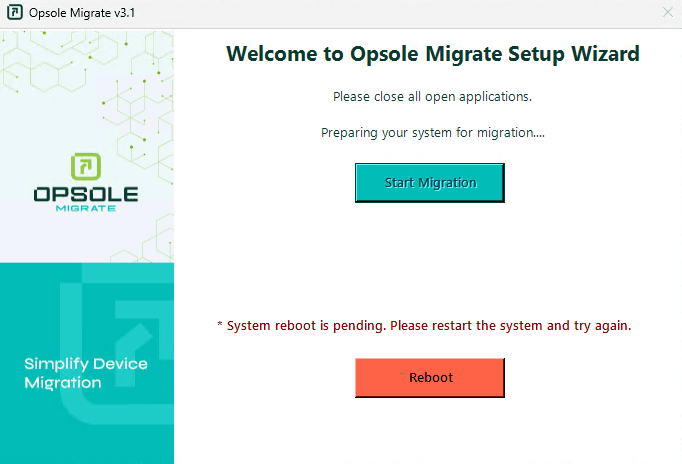
Application Message
System reboot is pending. Please restart the system and try again.
Root Cause
Windows has a pending restart that must be completed before migration can begin.
Common causes:
- Windows Update requires a restart
- Component servicing operations are pending
- Software installation or removal requires restart
- Pending file rename operations exist
Resolution
Restart the device.
If the issue persists after restart:
- Complete any pending Windows Updates
- Ensure no restart prompts remain
- Confirm the system is fully updated and stable
Recovery Steps
- Restart the device
- Sign in after restart
- Launch Opsole Migrate (auto-start if configured)
- Click Start Migration
When to Contact Support
Contact customer IT if Windows repeatedly reports a pending restart.
Contact support@opsole.com if:
- Windows no longer indicates a pending restart
- The application continues to block migration
Related Logs
- Event Viewer → Application and Services Logs → OpsoleMigrate
How is this guide?